Manage the sub-tasks of a project
For some projects, a single total of hours is not enough: you want to know how much time went into each step. For example, telling apart the inspection of a roof from the work of repairing it. That is what sub-tasks are for: they break a project down into several boxes in the timesheet, without changing how the rest of the organization sees the project. This article shows how to create, rename and archive them.
To follow the instructions in this article, you will need access to the manager features.
Where do you manage the sub-tasks of a project?
Go to the "Projects" page. The "Sub-tasks" column shows the sub-tasks already created for each project, with an icon to manage them.
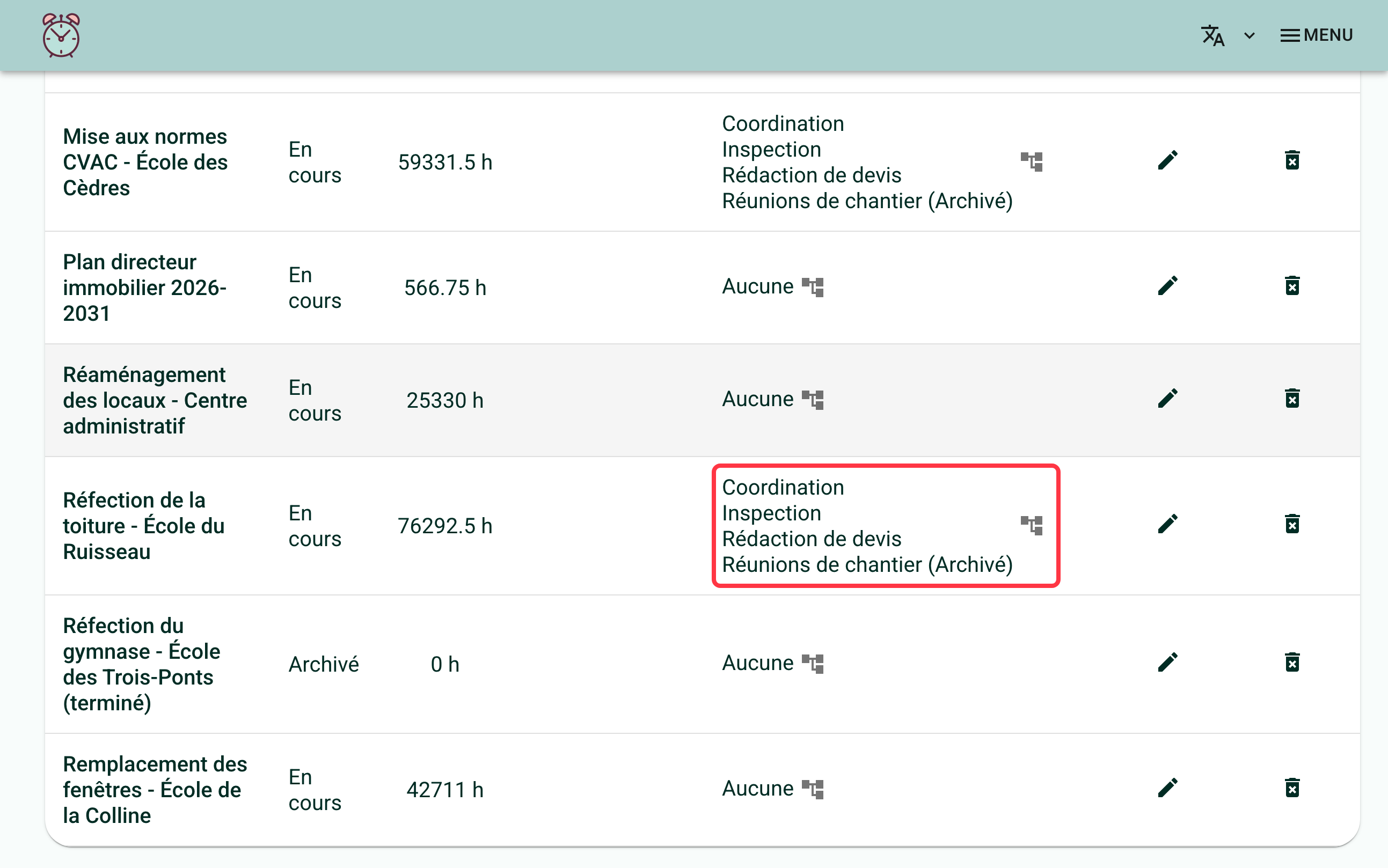
Click on this icon to open the "Sub-tasks of [project name]" window.
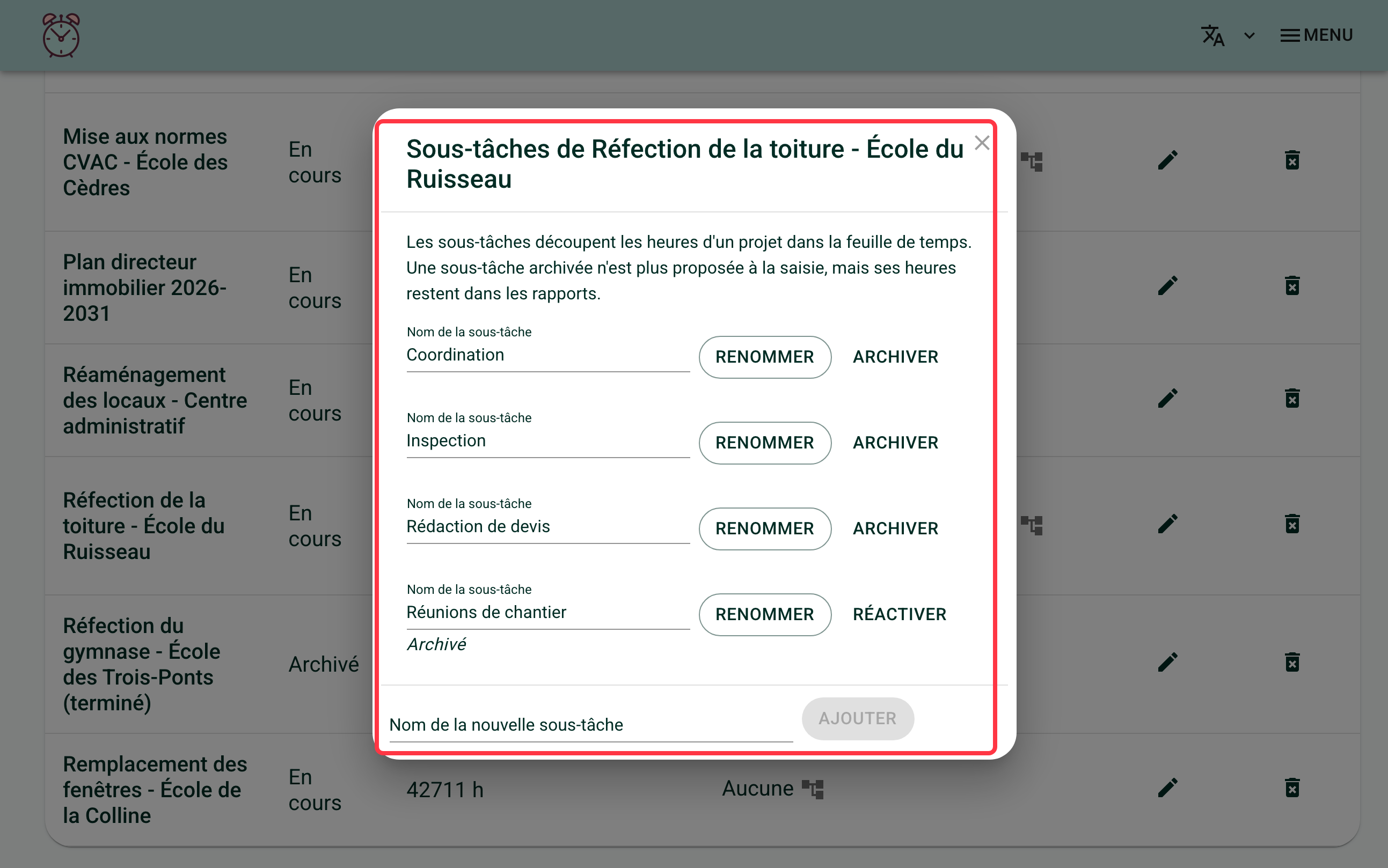
How do you create a new sub-task?
In the "Name of the new sub-task" field, at the bottom of the window, type a name, then click "Add".
Two sub-tasks of the same project cannot share the same name. If you create one with a name that is already taken, a message tells you and nothing is saved.
How do sub-tasks appear when entering hours?
Once created, sub-tasks are offered to anyone assigned to the project, in the window used to split their timesheet hours by project. See Splitting Your Hours by Project to see this screen from your team's point of view.
How do you rename a sub-task?
Change the "Sub-task name" field, then click "Rename", next to the field.
How do you archive a sub-task?
Click "Archive", next to the sub-task you want to remove. There is no deletion: an archived sub-task keeps its hours in the reports, it only disappears from the choices offered when filling in a timesheet. You can restore it at any time by clicking "Restore", in the same place.
What happens to sub-tasks when a whole project is archived?
An archived project no longer appears in the window used to split a timesheet's hours, so it and its sub-tasks are no longer offered for entry.
If a day already carries hours on that project or one of its sub-tasks when you archive it, that line stays visible on that day, marked "(archived)", so the person can still see it or correct it.
If you need help with this, write to us at support@feuilledetemps.ca.