Approving the Executive Director's Hours
In some organizations, it is not the executive director who approves their own hours each month, but the chair of the board of directors. Feuille de temps then gives the chair limited access to those hours, without handing them a timesheet to fill in.
This article is for the chair of the board of directors, invited by the executive director to approve their hours. The first step is to create an account from the invitation received by email.
What Email Invites You to Approve the Hours?
You receive an email, in French like every email Feuille de temps sends: "[First name][Last name] vous demande d'approuver ses heures" ("... asks you to approve their hours"). Click "Créer mon compte" ("Create my account"): the link stays valid for 30 days.
Afterwards, when the executive director asks you to approve a month, the link in the email opens that month directly.
How to Create Your Account?
Click the "Create my account" button in the email. You arrive on a form where your first name, last name and email are already filled in, with the organization's name displayed. All that is left is to choose a password, then click "Join".
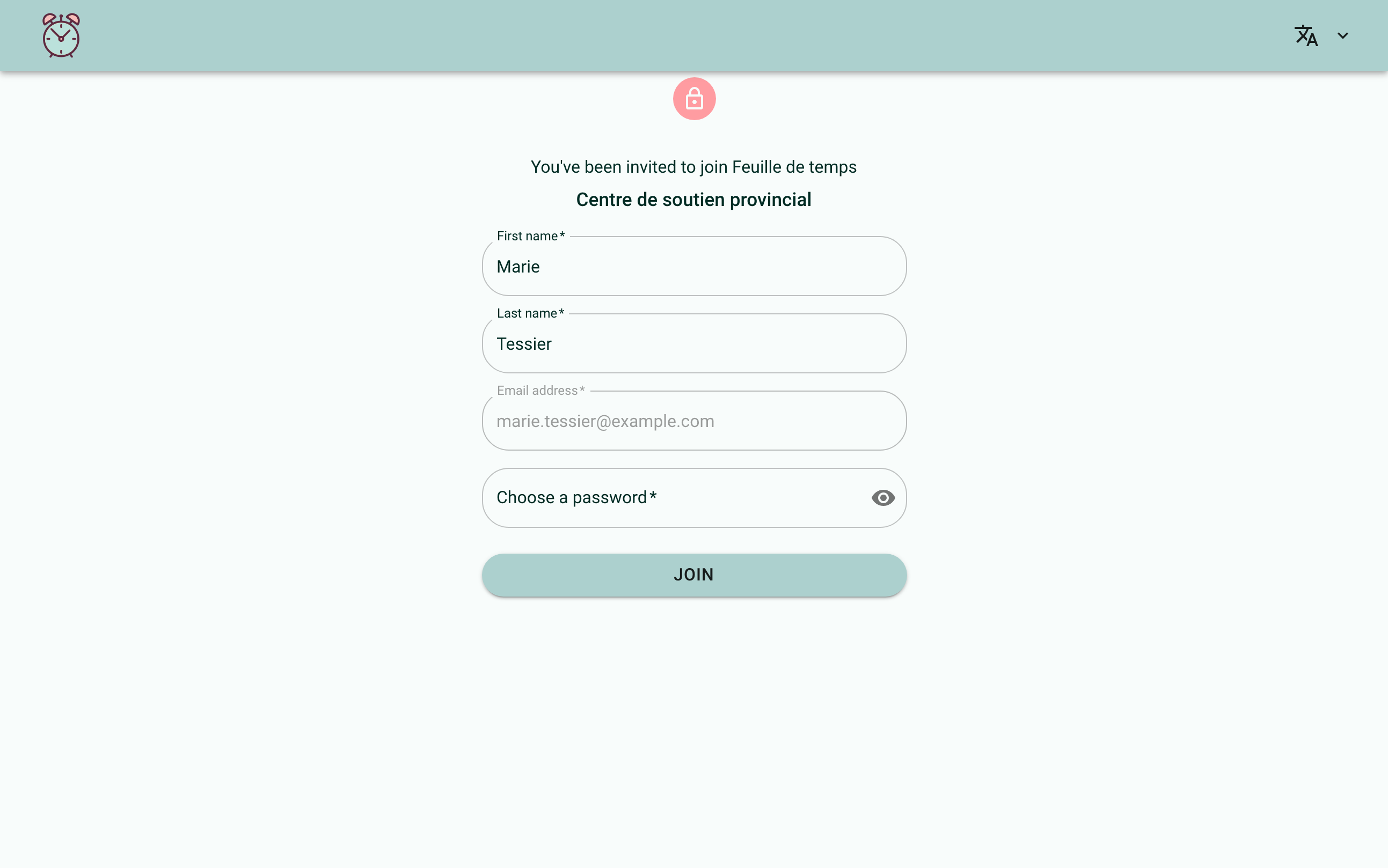
If you already have a Feuille de temps account elsewhere, for instance for your own organization, and you were signed in on the same browser, that session closes while your new account is created. Nothing changes in your existing account: simply sign back in there if you need to.
How Does the "Approvals" Screen Work?
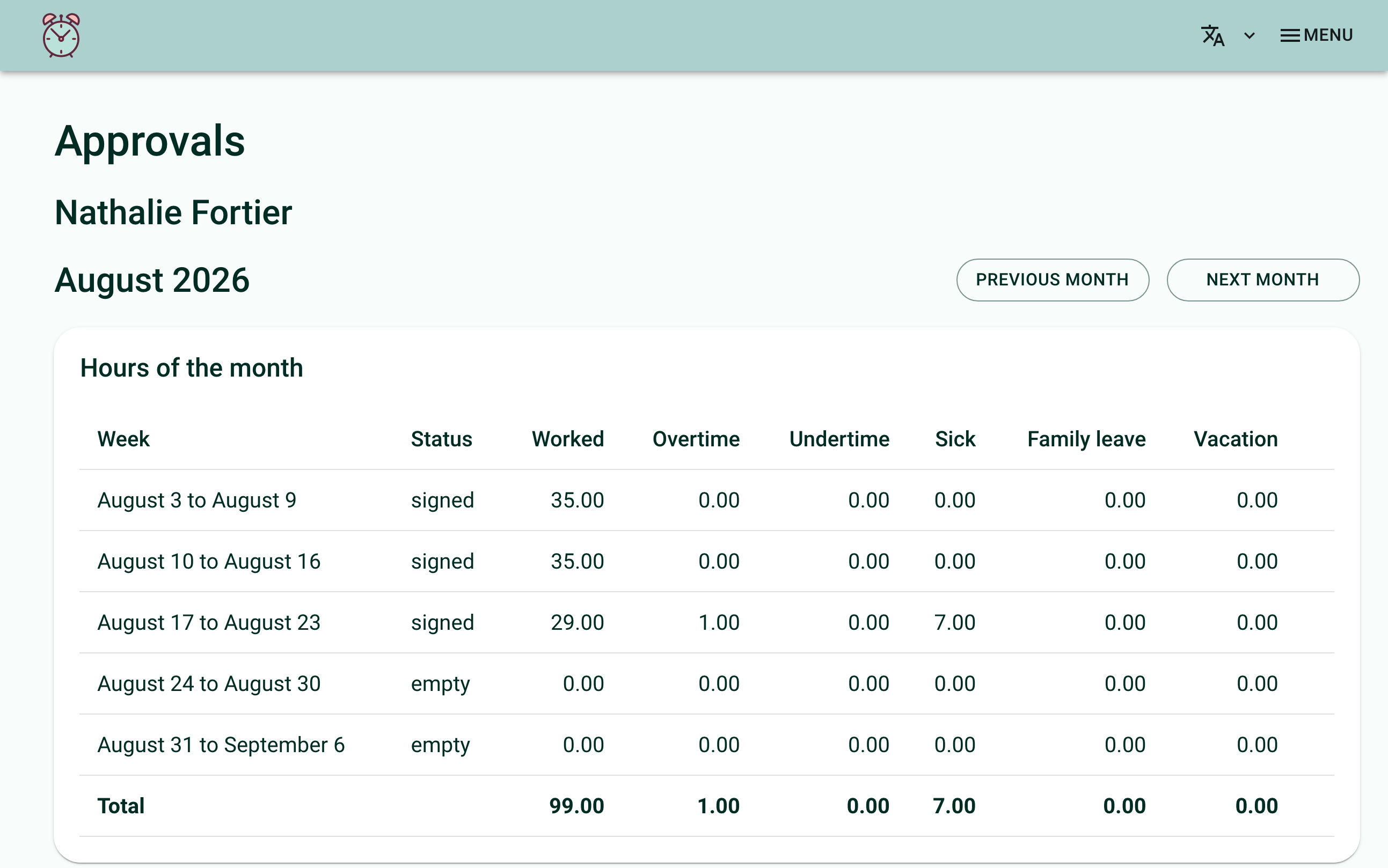
Once your account is created, you land directly on the "Approvals" screen. It opens on the first month waiting for your approval; if there is none, on the last month that is over. Two buttons, "Previous month" and "Next month", move you from one month to the other.
The Hours of the Month
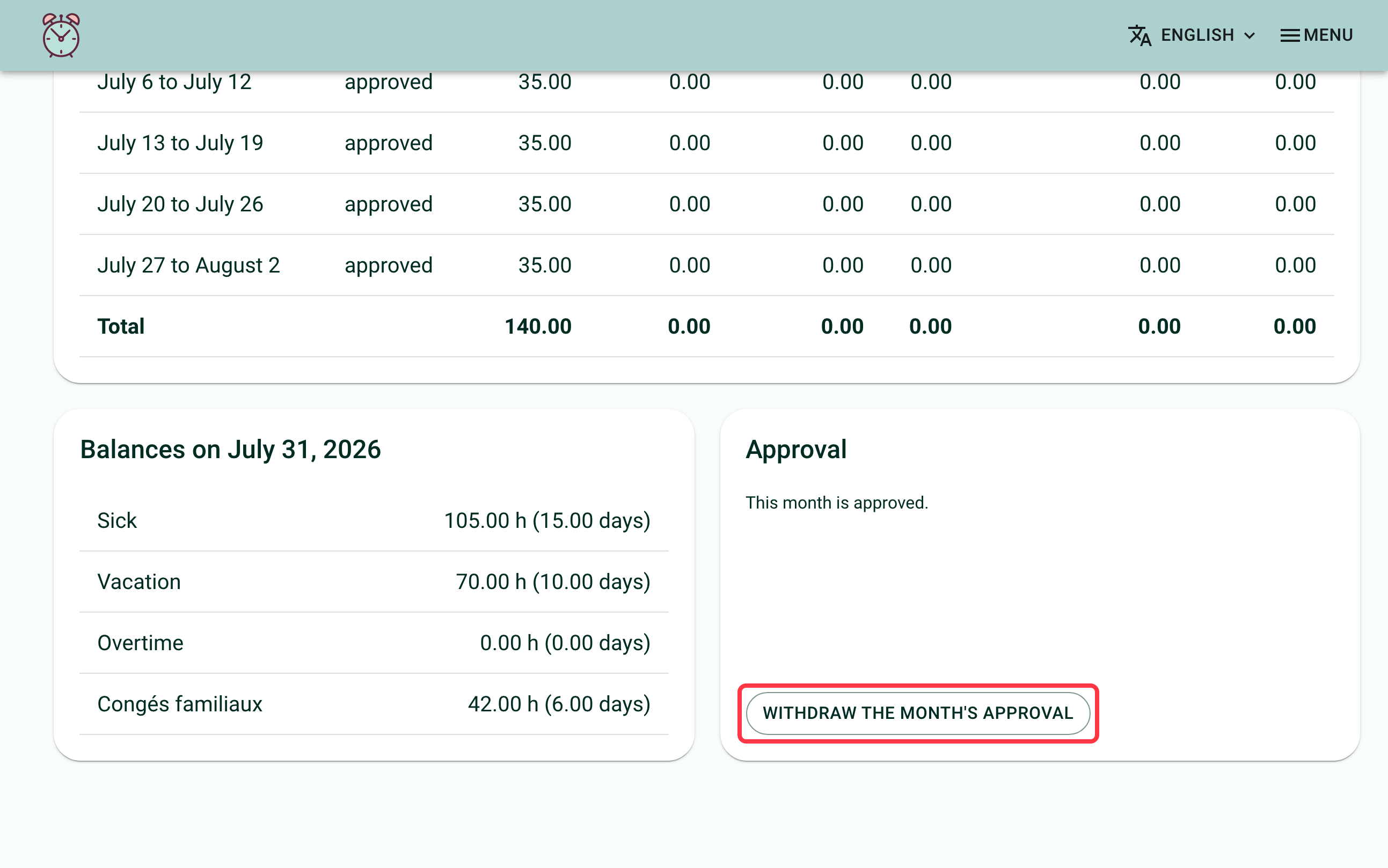
A table shows one row per week of the month, with its status (empty, signed, approved...). Only signed weeks can be approved. The hour columns shown depend on what the organization has configured: worked hours, overtime, undertime, compensatory time, sick leave, family leave, a possible second bank of specific leave days, special leave, vacation. A total row closes the table.
The Balances at the End of the Month
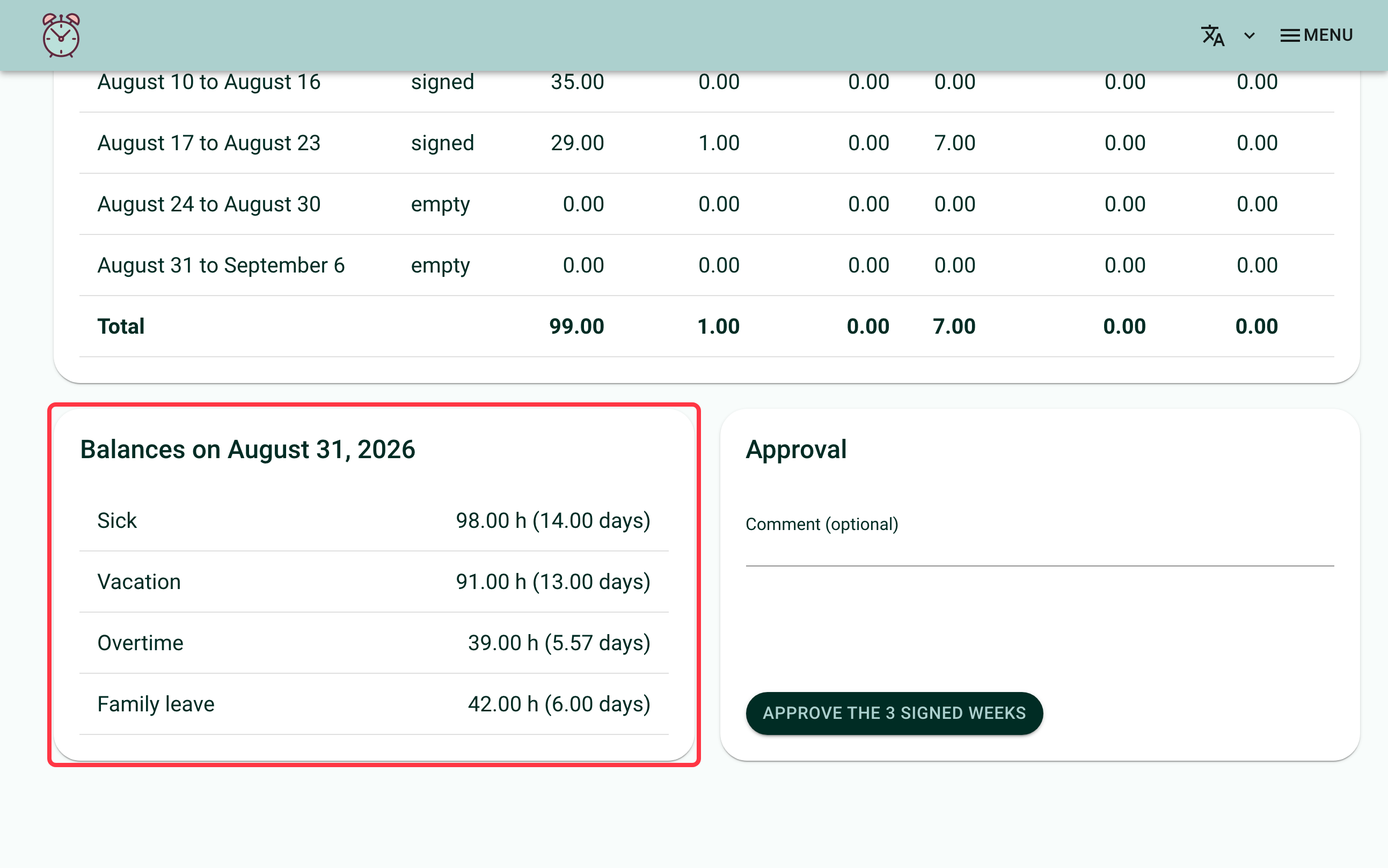
A "Balances on [date]" card shows the executive director's balances at the end of the month, in hours and in days: sick leave, vacation, compensatory time or overtime, family leave, and a possible second bank of specific leave days, depending on what the organization has configured. Their hourly rate never appears on this screen.
How to Approve or Withdraw an Approval?
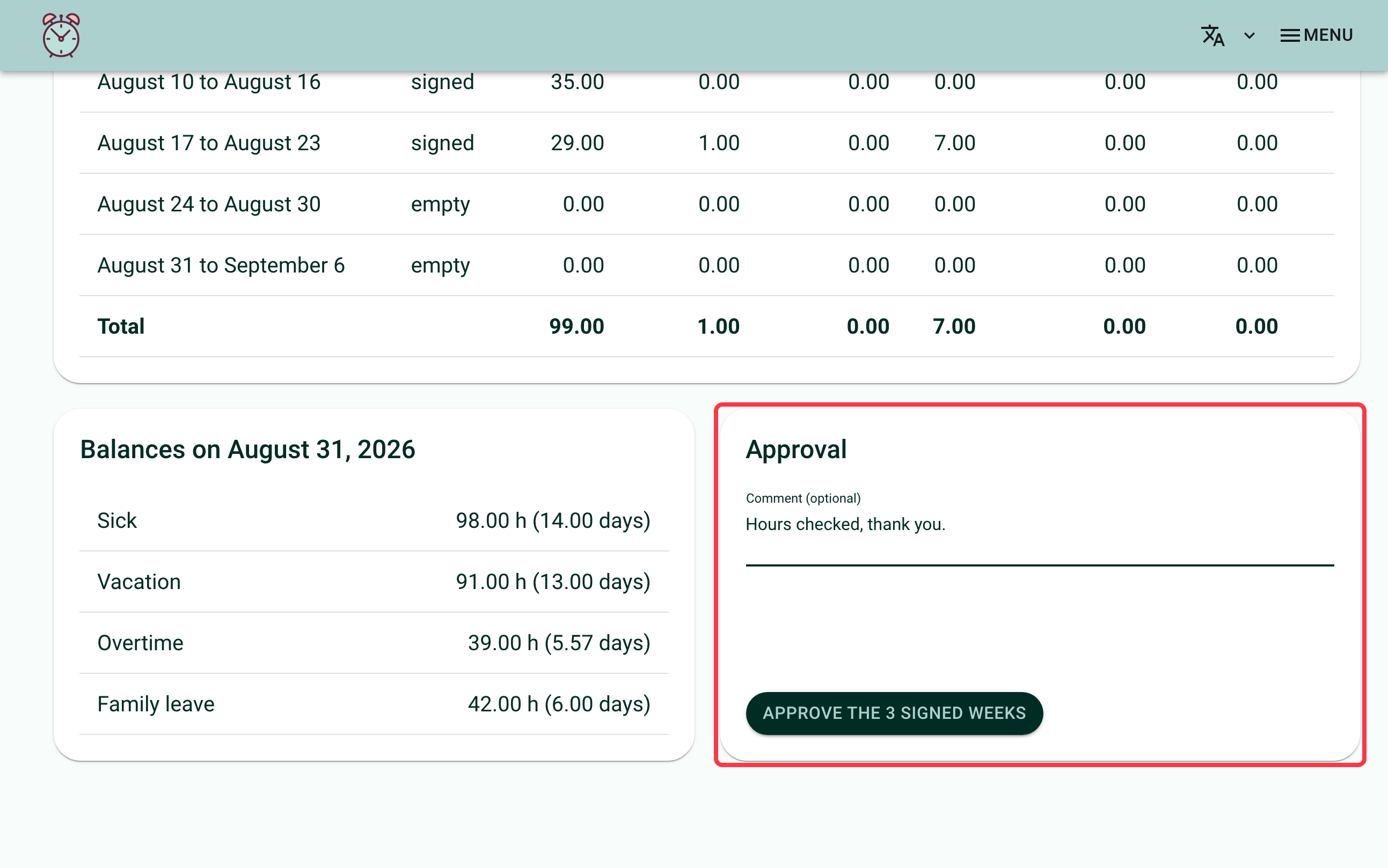
An "Approval" card lets you add an optional comment, then click "Approve the [N] signed weeks". Every signed week of the month is approved at once. If no week is signed, or if the month is already approved, the screen tells you so instead of showing the button.
If the month was approved by mistake, click "Withdraw the month's approval" in the same card. The weeks go back to "signed", waiting for approval again.
Frequently Asked Questions
Do you need to fill in a timesheet?
No. Your account only serves to approve the hours entrusted to you.
How do you find the month waiting for your approval?
Open the "Approvals" screen: it opens on the first month waiting for your approval.
What if you also have your own Feuille de temps account?
The two accounts stay independent.
Who can name you as an approver?
Only the executive director can invite you, for their own hours. See Having the Chair Approve Your Hours for that gesture, on their side.
If you need help with this, write to us at support@feuilledetemps.ca.